



The 5 Best Simple Tools for Managing Household Tasks
January 13, 2026
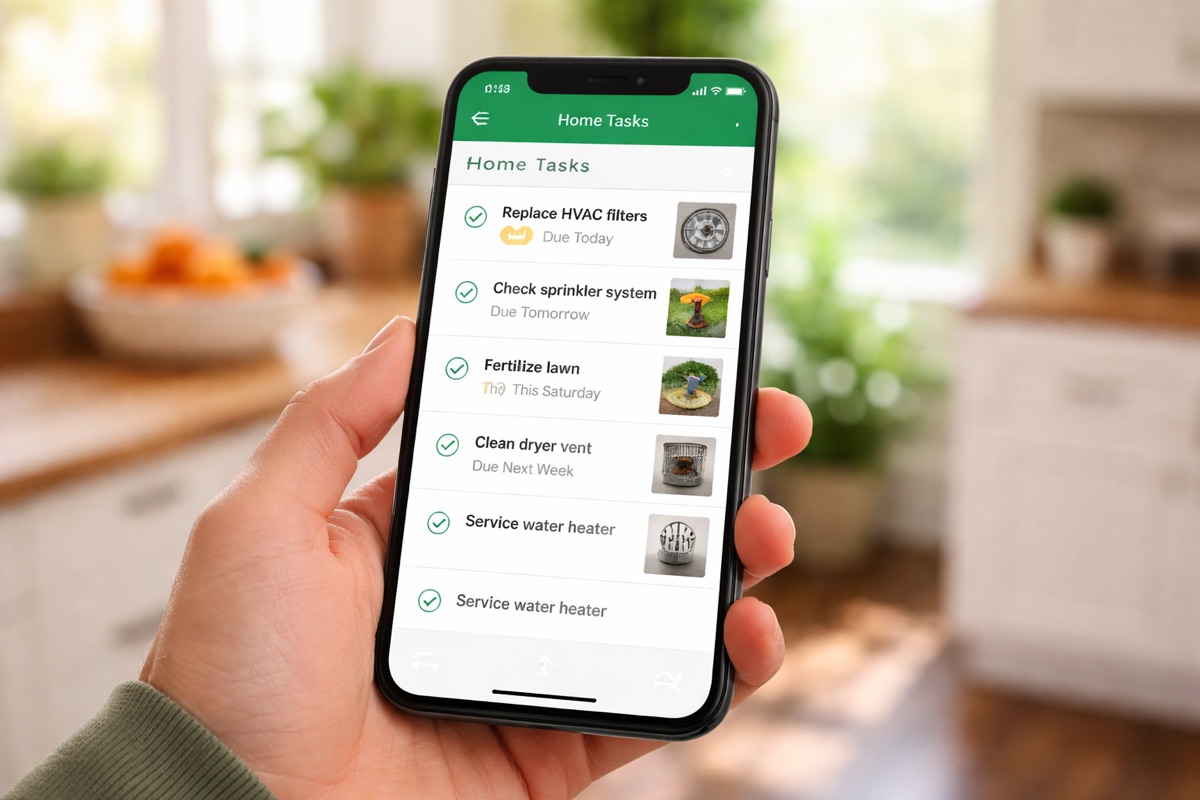
Owning a home comes with a steady stream of responsibilities. Some are predictable, such as replacing HVAC filters, fertilizing the lawn, and cleaning condensers. Others come out of nowhere, like an irrigation leak, a broken appliance, a mysterious noise you can’t ignore.
Most homeowners don’t struggle because they’re lazy or disorganized. They struggle because tasks aren’t specific enough, documented well, or clearly assigned. When that happens, things fall through the cracks.
Here are five simple tools homeowners actually use to manage household tasks. What works, what doesn’t, and where each one fits.
1. YardPro – Best Overall for Home Maintenance and Property Tasks
If you care about your home running well, but don’t want complexity, this is the most complete option.
What makes YardPro different is that it’s built for real-world homeowner tasks, not abstract to-do lists. Instead of “Replace air filters,” you create multiple tasks, each tied to:
- A specific location
- The correct filter size
- Photos of where it’s hidden
- Instructions for whoever is doing the work
Real example: HVAC filters
Our property has multiple air filters, all different sizes, and all in strange locations. Before, we missed some. Now:
- One recurring maintenance item creates multiple tasks
- Each task has a photo, size, and location
- Nothing gets skipped
It also solves the accountability problem. My spouse can assign tasks to me. We can assign tasks to our handyman so when he comes once a month, he has a clear, documented list of exactly what needs to be done.
Best for: Homeowners who want clarity, photos, locations, and tasks that actually get completed
Not ideal for: People who only want a basic checklist
2. Shared Calendar – Best for Timing, Not Execution
A shared calendar is often the first tool homeowners try, and it’s useful, up to a point.
It works well for:
- Reminders
- Seasonal tasks
- “Do this sometime this week” prompts
Where it breaks down is execution. A calendar event doesn’t tell you:
- Where the thing is
- What size part you need
- How to do it
- Who is responsible
It’s a good reminder tool, not a task completion system.
Best for: High-level reminders
Weakness: No documentation, no accountability
3. Task Apps (Google Tasks, Todoist, etc.) – Good but Limited
Generic task apps are clean, fast, and familiar. They’re fine for simple items like:
- Call the plumber
- Order filters
- Schedule a repair
But they fall apart for homeowner maintenance.
What didn’t work for me:
- One task couldn’t create multiple related tasks
- No GPS or location context
- Limited ability to assign tasks and hold others accountable
- No photos or instructions tied to physical assets
They’re designed for personal productivity, not managing a physical property.
Best for: Lightweight personal reminders
Weakness: Poor fit for real maintenance work
4. Spreadsheets – Surprisingly Useful, Surprisingly Fragile
Spreadsheets are powerful and flexible. Many homeowners use them for:
- Maintenance logs
- Appliance lists
- Filter sizes
- Warranty tracking
The problem is upkeep. They rely entirely on discipline. They’re rarely opened on a phone in the yard, and they don’t trigger action on their own.
Spreadsheets are a great reference, but a weak execution tool.
Best for: Static information and records
Weakness: Easy to ignore, hard to act on
5. Whiteboards or Paper Lists – The Fastest, Most Temporary Option
This is the simplest tool and sometimes the most honest.
A list on the fridge works when:
- Tasks are immediate
- Everyone sees it
- Nothing is complex
But it has no memory. Once it’s erased, the knowledge is gone.
Best for: Short-term focus
Weakness: Zero history or repeatability
The Principle That Actually Matters
Here’s the rule that governs everything in our house:
If you don’t assign me a task, it’s not getting done.
Good tools force clarity:
- What needs to be done
- Where it is
- How to do it
- Who owns it
The more specific a task is, the more likely it is to be completed, especially when multiple people or vendors are involved.
Final Takeaway
Most homeowners don’t need enterprise software. But they do need more than a reminder.
If your goal is a well-run home without mental clutter, the right tool:
- Breaks big jobs into specific tasks
- Captures photos and instructions
- Assigns responsibility clearly
- Makes repeat maintenance impossible to forget
Simple tools are fine, until they’re not. The moment tasks involve locations, parts, or other people, you need something built for the real world.